Skip to content

    PrintablesUnlocks with one sponsored offer (an ad; we earn a commission) or your email.

    Job and GST tracker spreadsheet for Australian tradies, 18 tabs

    An 18-tab spreadsheet for Australian tradies that logs jobs, income and expenses and works out GST by quarter for your BAS. It comes as a sample workbook and a blank one, for Excel or Google Sheets.

    • 4 files (XLSX, PDF)

    Download

    Free preview · Unlock the file

    1. Choose offer
    2. Complete it
    3. Download

    Unlock it with one sponsored offer; we earn a commission. Offers are for ages 18+.

    Offers open in a new tab. Your download starts here once the partner confirms, usually within a minute or two. No account needed.


    What is inside

    Each workbook has 18 tabs. Alongside a dashboard and settings, you get jobs, quotes and quote lines, income, expenses, vehicle, GST quarters, a BAS sheet, profit and loss, cash flow, an unpaid list, and quote, invoice and letter tabs. The sample copy is filled with example jobs, and the blank copy is ready for your own.

    The jobs tab holds up to 300 jobs and shows profit per hour on each. On the expenses tab you set a business use percentage for every cost, and it flags any purchase missing a tax invoice so you know which receipts to chase.

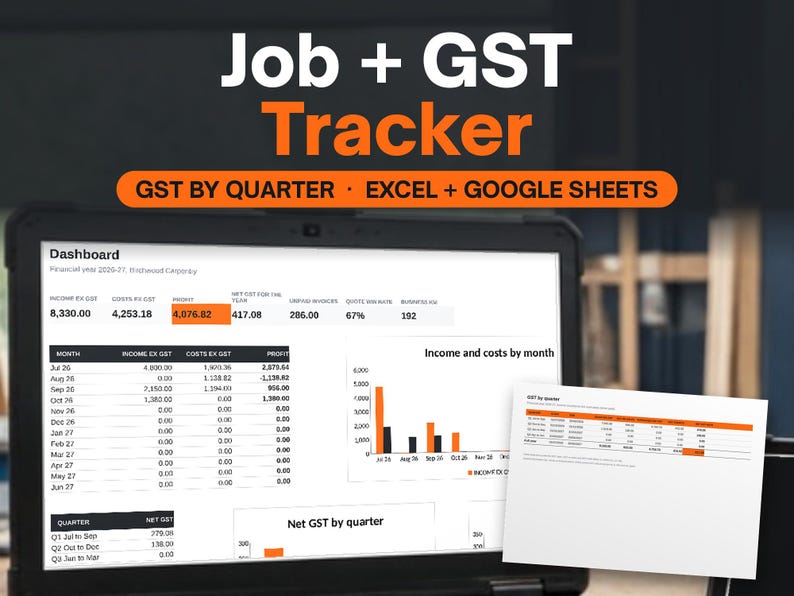
    The dashboard charts income and costs by month and net GST by quarter. A 4-page start-here guide covers setup in three steps, and a bonus printable pack sits in the download as well.

    Good for

    • Preparing figures for a quarterly BAS
    • Seeing profit per hour on each job
    • Logging fuel, materials and vehicle costs
    • Sole traders who quote and invoice

    Questions

    Does it include a BAS worksheet?
    Yes. There is a BAS tab alongside GST quarters, which shows one row per quarter, net GST for each and full-year totals. Treat it as general information and check with your tax agent.
    How many jobs can it track?
    The preview shows the jobs tab holding up to 300 jobs, with client, suburb, start date and status on each row and profit per hour worked out from income and costs.
    Can I use it in Google Sheets?
    Yes. Both workbooks are Excel files that open in Google Sheets, and the start-here PDF explains the three setup steps for either program.